创建一个基本的算法胶囊
引言
在本教程中,我们将为您介绍创建一个基本的算法胶囊. 如果您在路上住,或者只是想看到最终结果 您可以在我们的 [GitHub存储库]上找到完成的算法胶囊 子的子.
在我们开始之前,我们强烈建议您阅读 OpenVisionCapsules 文件. 您将获得有关算法胶囊的背景信息.
建立一个环境
为了开发自己的算法胶囊,您需要安装 vcap 其他 vcap_utils,
它们是Python库的集合,用于包装机器学习和计算机
智能视频分析的视觉算法.
在这里.
pip3 install vcap vcap_utils
您也可以下载我们的几种开源算法胶囊:
git clone https://github.com/aotuai/capsule_zoo.git
创建一个基本的算法胶囊
在这门教程中,我们将创建一个假的算法胶囊. 结果是,我们可以将这些数据从一个数据中推断到一个数据中, 为了帮助您更好地了解我们的算法胶囊系统.
目录结构
首先,让我们创建一个叫做 detector_bounding_box_fake 在
文件的位置下,创建一个文件.
a meta.py 并且 capsule.py 结果结构
它们将看起来像:
your_working_directory
├── docker-compose.yml
└── capsules
    └── detector_bounding_box_fake
        ├── meta.conf
        └── capsule.py
如果一切正确, BrainFrame将目录自动将其作为 .cap文件包装.
您可以查看文档. 在这里.
算法胶囊子的转录数据
其他 meta.conf 文件提供了有关算法胶囊的基本信息,
在算法胶囊的剩余部分被装载之前. meta.conf我们将
定义了该算法胶囊将使用的 OpenVisionCapsules SDK 版本
适合使用
[about]
api_compatibility_version = 0.3
这种数字应与大小版本相同
pip3 show vcap | grep Version
算法胶囊
在 capsule.py我们定义了一个类,叫做 Capsule根据
算法胶囊的实际行为. Capsule 类提供了这些元数据
BrainFrame可以理解算法胶囊的功能以及它如何使用
能使用,必须继承 BaseCapsule更多关于
其他 BaseCapsule 类,请参见文档
在这里.
我们将从 vcap 首先:
from vcap import BaseCapsule, NodeDescription, BaseBackend, DetectionNode
然后我们将定义 Capsule 类作为一个子类 BaseCapsule.
# Define the Capsule class
class Capsule(BaseCapsule):
    # Metadata of this capsule
    name = "detector_bounding_box_fake"
    description = "A fake detector that outputs a single bounding box"
    version = 1
    # Define the input type. As this is an object detector, and does not require
    # any input from other capsules, the input type will be a NodeDescription
    # with size=NONE
    input_type = NodeDescription(size=NodeDescription.Size.NONE)
    # Define the output type. In this case we are going to return a list of
    # bounding boxes, so the output type will be size=ALL
    output_type = NodeDescription(
        size=NodeDescription.Size.ALL,
        detections=["fake_box"],
    )
    # Define the backend. In this example, we are going to use a fake Backend,
    # defined below
    backend_loader = lambda capsule_files, device: Backend(
        capsule_files=capsule_files, device=device)
    options = {}
后端
现在让我们创建一个 Backend 现在,我们在 Backend 类定义了如何
基本算法是初始化和使用的.
Backend 课程,请参阅
OpenVisionCapsules 文件.
# Define the Backend Class
class Backend(BaseBackend):
    # Since this is a fake Backend, we are not going to do any fancy stuff in
    # the constructor.
    def __init__(self, capsule_files, device):
        print("Loading onto device:", device)
        super().__init__()

    # In a real capsule, this function will be performing inference or running
    # algorithms. For this tutorial, we are just going to return a single, fake
    # bounding box.
    def process_frame(self, frame, detection_node: None, options, state):
        return [
            DetectionNode(
                name="fake_box",
                coords=[[10, 10], [100, 10], [100, 100], [10, 100]]
            )
        ]

    # Batch process can be used to improve the performance, we will skip it in
    # this example.
    def batch_predict(self, input_data_list):
        pass

    # This function can be implemented to perform clean-up. We can't skip it
    # for this tutorial
    def close(self) -> None:
        pass
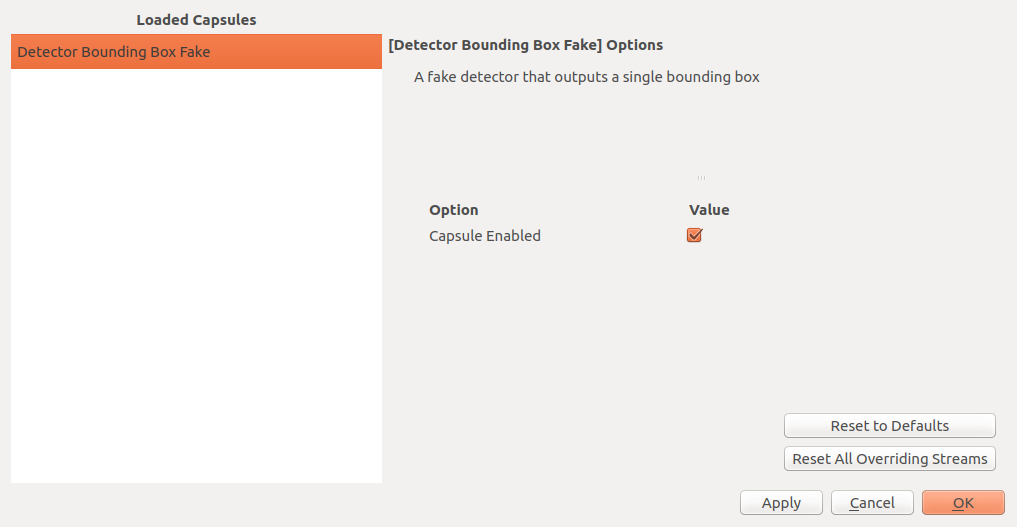
如果重新启动你的 BrainFrame 服务器,你会发现 现在,我们可以看到它装满了.
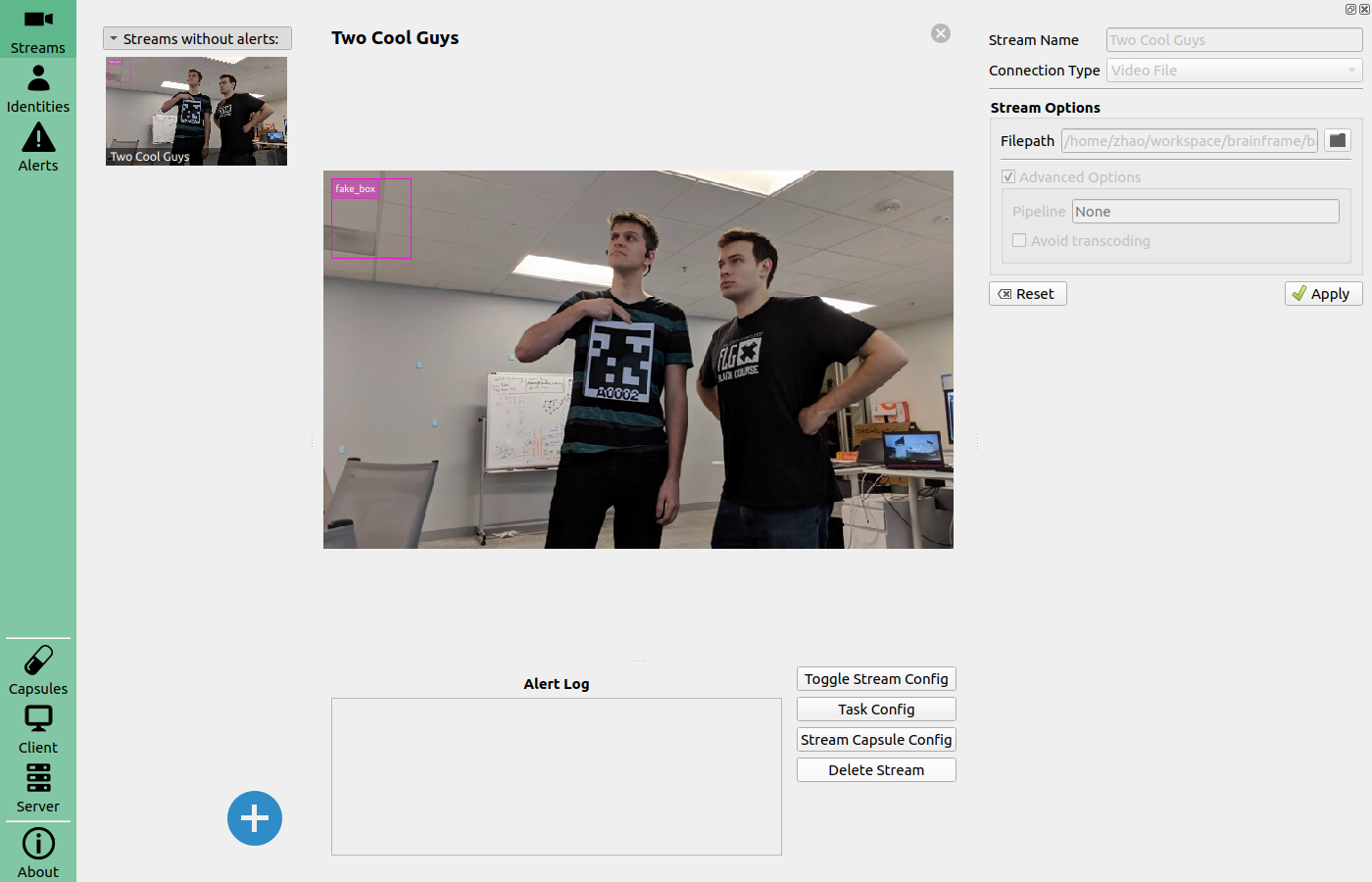
如果您加载一个流,您将能够看到推断结果.