Archived from the BrainFrame forum. Posted Feb 21, 2020. 15 replies · 1,280 views
-
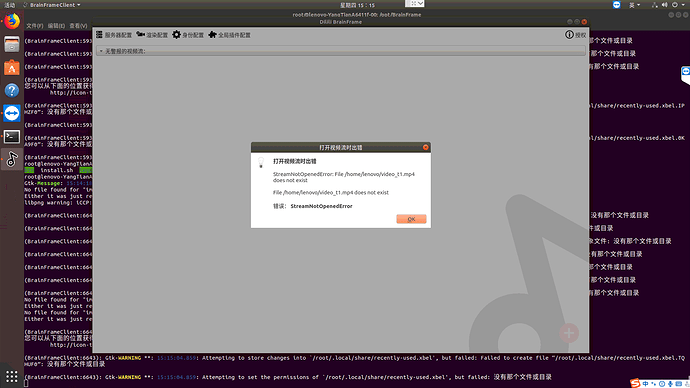
Error importing local video to Client ,Are there any other requirements for importing local videos? It doesn’t seem to be mentioned in the documentation
-
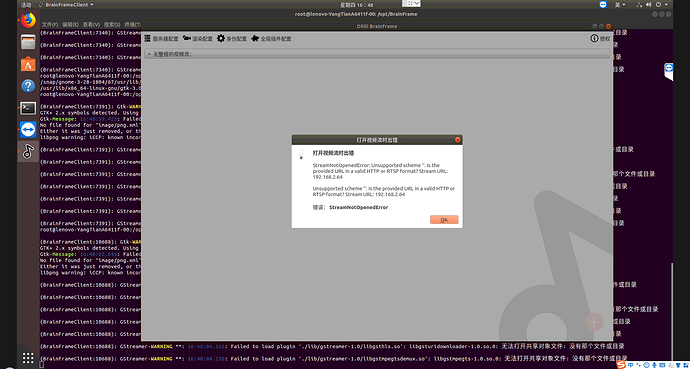
Error occurs when opening the webcam,too . And other tools can normally open the video of the rtsp address
-
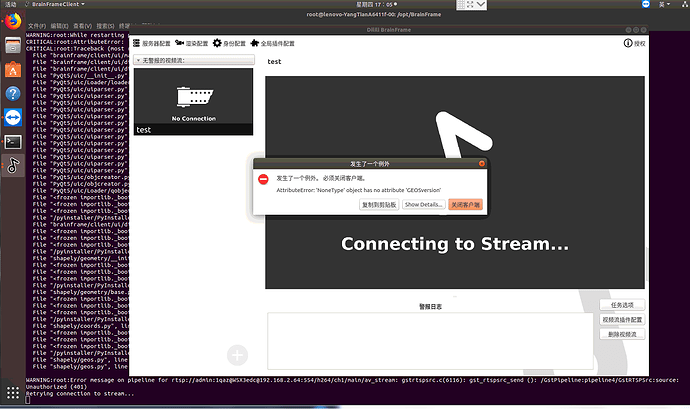
The program crashed with the message “An exception occurred, the client must be closed”
-
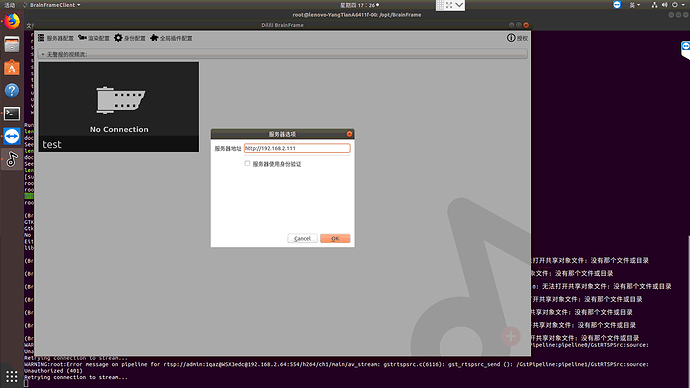
My server address is set as follows. Is there an error?
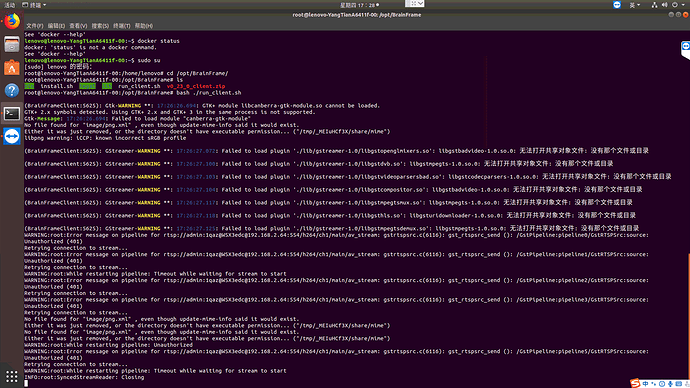
5.Other error messages when open client
Hi Xiaofei, welcome to the forum and thanks for posting!
Error importing local video to Client ,Are there any other requirements for importing local videos? It doesn’t seem to be mentioned in the documentation
Yes, the documentation about this needs to be updated. To stream a video file, move that file to the same directory as your docker-compose.yml on the server side. Then, create a new stream with the file path /working_dir/video_t1.mp4.
Error occurs when opening the webcam,too
Would you mind showing us the device ID you’re using and the error that you get?
And other tools can normally open the video of the rtsp address
It looks like the URL you’re providing is an IP address. RTSP URLs have to start with “rtsp://” and often have additional information in the URL that BrainFrame needs in order to connect. The documentation on this can be found here. Basically, the format looks like this:
rtsp://[username]:[password]@[ip]/[path]
Not all RTSP streams need a path, so it may not be necessary in your case. If you can give us the make and model of your IP Camera, we may be able to help you figure out this RTSP URL!
The program crashed with the message “An exception occurred, the client must be closed”
This looks like a bug we found in the v0.23.0 version of the client. Please download the latest v0.23.1 release from our Downloads page, which has this issue fixed.
I tried again and upgraded both the server and client to v0_23_1.Opening the camera of the local video file and RTSP address still fails, and the prompt message seems to be the same as the version of v0_23_0. As follows:
-
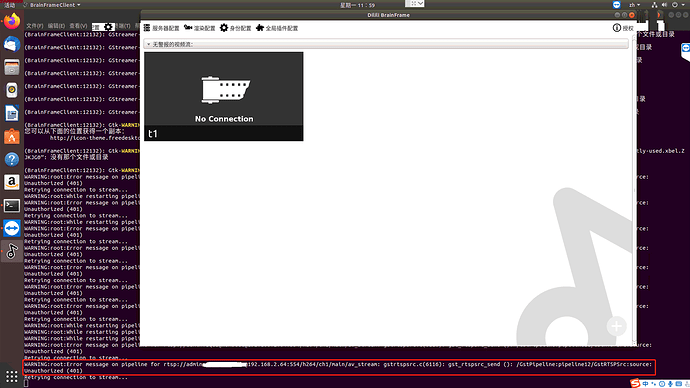
Failed to open RTSP address camera,The failure information is shown in the red box in the picture
-
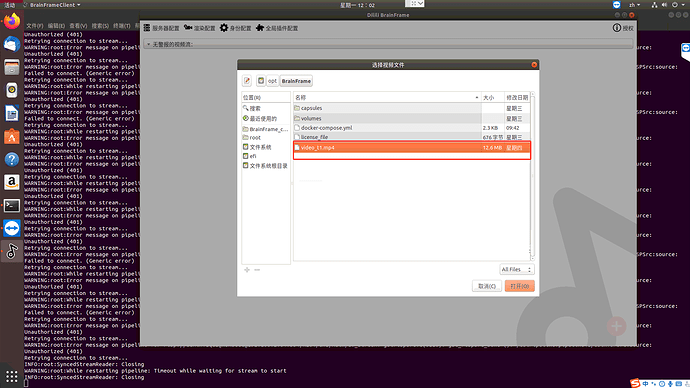
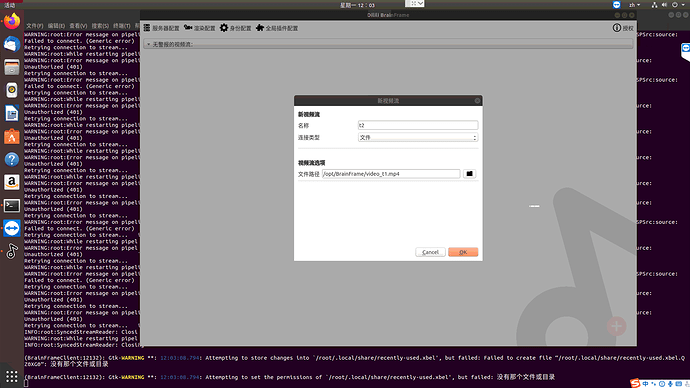
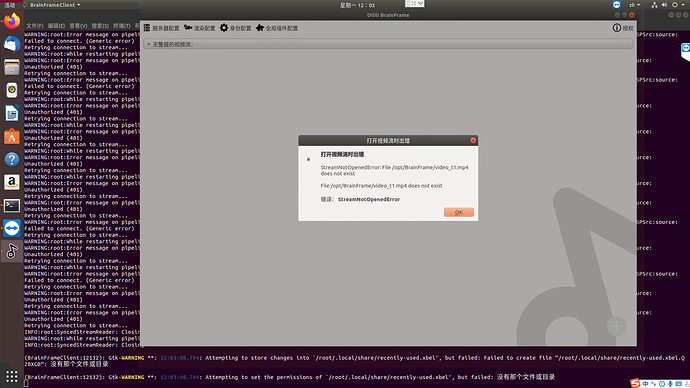
The same error occurred when opening the local video file. At this time, the video file and docker-compose.yml are in the same path
3.When the new version of the client is opened and run, if you choose to click close, the program will crash, as shown in the figure below
4.Server running at this time
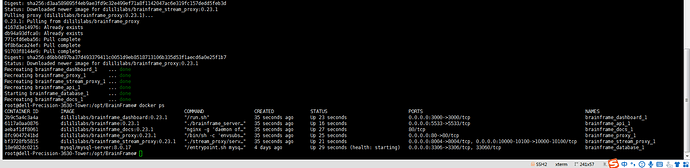
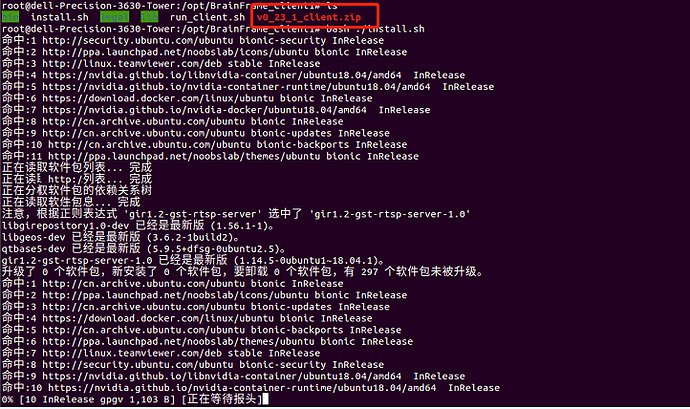
Failed to open RTSP address camera,The failure information is shown in the red box in the picture
That is a 401 Unauthorized error, which usually means that the provided username and password for the stream is incorrect or no username and password is provided. Are you putting the username and password for the IP camera in the URL?
The same error occurred when opening the local video file. At this time, the video file and docker-compose.yml are in the same path
You’re on the right track, but the current solution is confusing. Instead of using the file explorer to select the file, type in “/working_dir/video_t1.mp4”. We’re looking to improve this experience in the future to make this process easier and more clear.
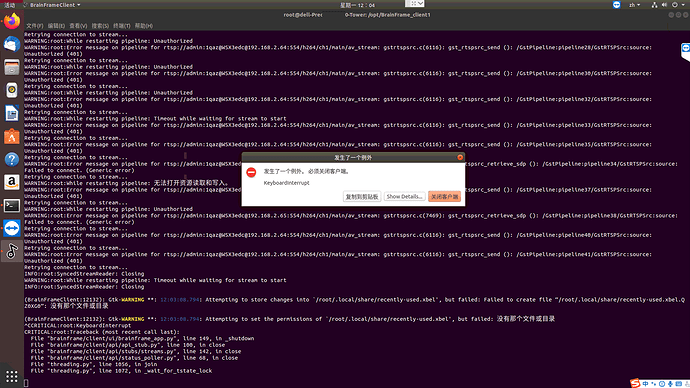
3.When the new version of the client is opened and run, if you choose to click close, the program will crash, as shown in the figure below
It looks like you closed the client with Ctrl+C. This prevents the client from closing gracefully, and you’ll get the KeyboardInterrupt error. This is usually harmless, but I would recommend closing the client with the “X” on the top right of the window instead.
-
Yes, The mosaic part in the picture used to be the account and password. I used this address to open it in vlc media player.
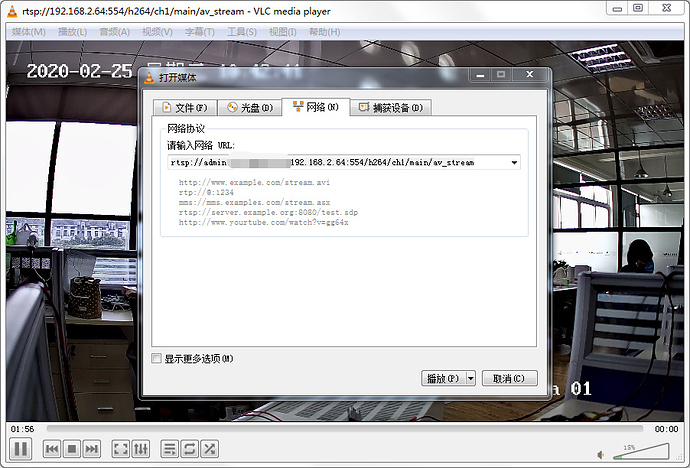
-
I tried, it shows same error
-
Yes, I did click “X” to close the client . But the terminal command line did not respond, so I had to type “ctrl + C” to close.
Thanks so much for your response!
Hmm, very interesting! To help us figure out the issue, could you run the following command?
GST_DEBUG=3 gst-play rtsp://your-url-here
Please send the logs from this command. Thank you!
In the screenshot you put “/opt/BrainFrame/video_t1.mp4”. The “video_t1.mp4” has to be in the root directory as the docker-compose.yml.
└── BrainFrame
    ├── docker-compose.yml
    └── video_t1.mp4
Then, make your file path == “/working_dir/video_t1.mp4”
I’m not sure why the client is taking a long time to close. Usually, it will wait until all videostream connections have been closed cleanly. Maybe it’s taking a long while? Either way, it’s not a big deal.
Oops, sorry, I forgot to mention the dependencies.
To install gstreamer:
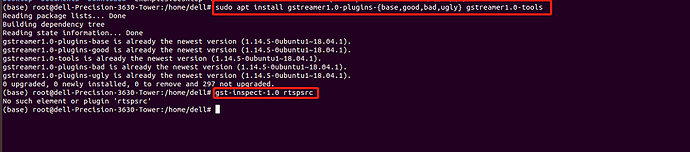
sudo apt install gstreamer1.0-plugins-{base,good,bad,ugly} gstreamer1.0-tools
To test the stream
GST_DEBUG=3 gst-play rtsp://your-url-here
Error messager is following, please check:

按“k”键来显示键盘快捷键列表。
正在播放 rtsp://admin:****@192.168.2.64:554/Streaming/Channels/101?transportmode=unicast
0:00:00.378669369  9016 0x55f0679e6e70 WARN            uridecodebin gsturidecodebin.c:1409:gen_source_element: error: “rtsp”未实现 URI 处理器。
ERROR “rtsp”未实现 URI 处理器。 for rtsp://admin:****@192.168.2.64:554/Streaming/Channels/101?transportmode=unicast
ERROR debug information: gsturidecodebin.c(1409): gen_source_element (): /GstPlayBin:playbin/GstURIDecodeBin:uridecodebin0
到达播放列表结尾。
That’s strange, the error usually means that GStreamer RTSP plugins are not installed, but they should be included in the gstreamer1.0-plugins-good package. What happens if you run the following command?
gst-inspect-1.0 rtspsrc
No plugs ‘rtspsrc’
So What to do next? Any other ideas?
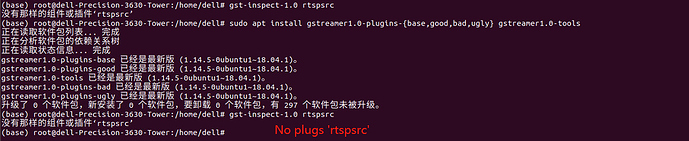
Are you sure that this command finished successfully?
sudo apt install gstreamer1.0-plugins-{base,good,bad,ugly} gstreamer1.0-tools
If you wouldn’t mind, could you send me the output from that command?
I just realized- are you using Anaconda? 
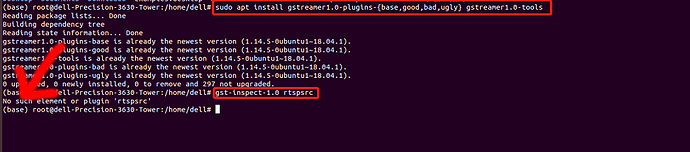
We’ve had issues in the past with Anaconda, because it ships with it’s own version of gstreamer (and a limited subset of gstreamer plugins).
Could you try exiting the Anaconda environment then trying again?
conda deactivate
gst-inspect-1.0 rtspsrc
And if that works, then try the URL again?
GST_DEBUG=3 gst-play rtsp://your-url-here
Okay! The problem has been solved remotely. For all future people who come looking at this thread, the end problem was that the rtsp camera password that @AOTU support had included an “@” symbol. This seems to confuse gstreamers parser, ending up with a “401 unauthorized” error on the client logs.
We changed the cameras’ passwords, and it worked fine!
Another possible solution is to replace the “@” in the client with “%40”. This is the url encoding for “@”, and will be parsed fine.
Great!! Well done!!
@AOTU support Thank you so much!